Heal has new features coming to help make Doctors and Dentists lives easier, you can learn about these below.
|
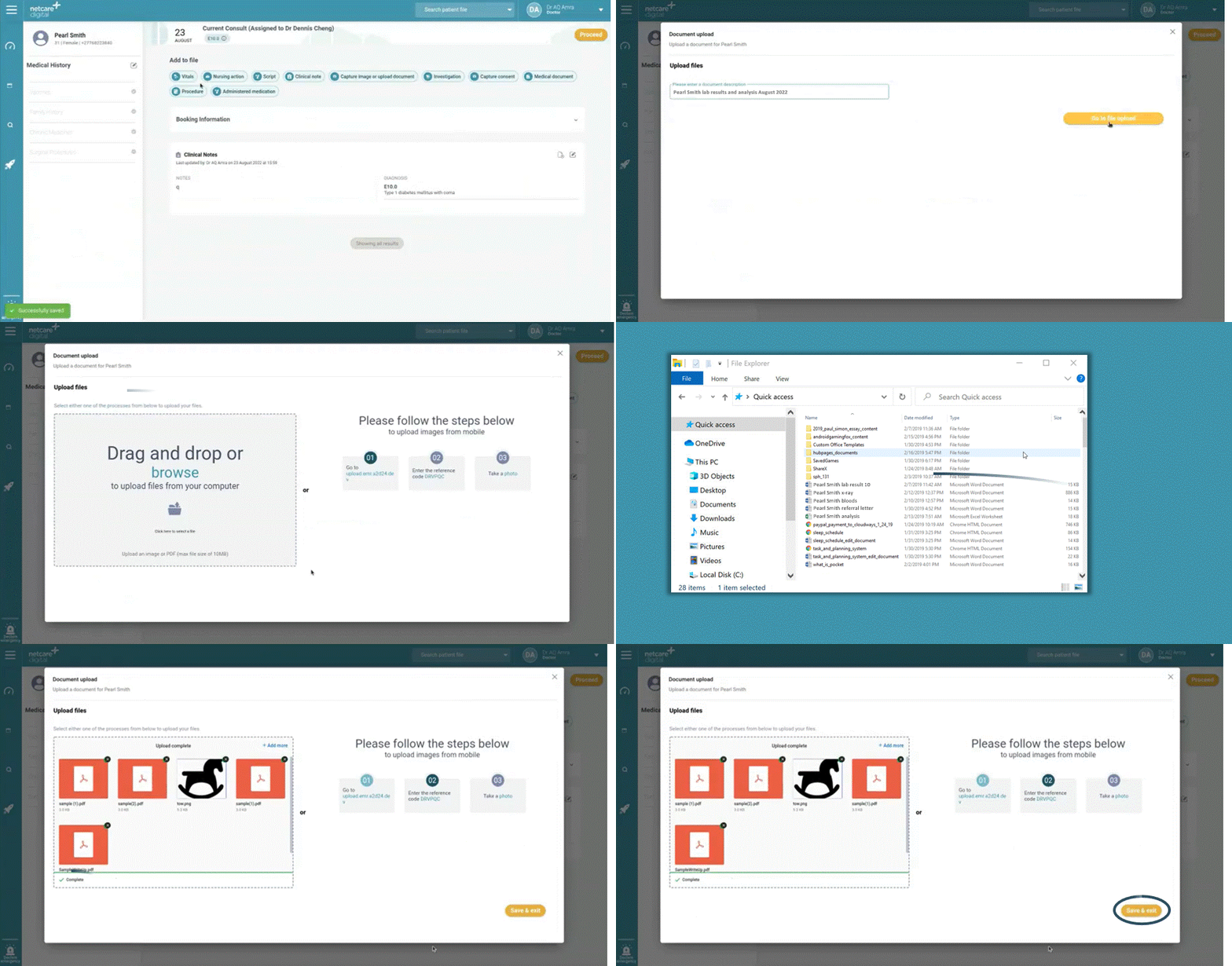
You are now able to upload multiple documents. You can do this by navigating to the document upload function, adding a document description and then simply dragging and dropping multiple documents and images into the drag and drop box.
|
If you’ve incorrectly captured a clinical note, medication or script, you can now “remove” these notes, in accordance with the HPCSA guidelines for medical records, as well as add a reason for removing it. To do this, simply go to the history of the patient, where you will now find the “remove” button at the top right of the note. This will result in the notes being “struck out” and marked as removed on the system.
|
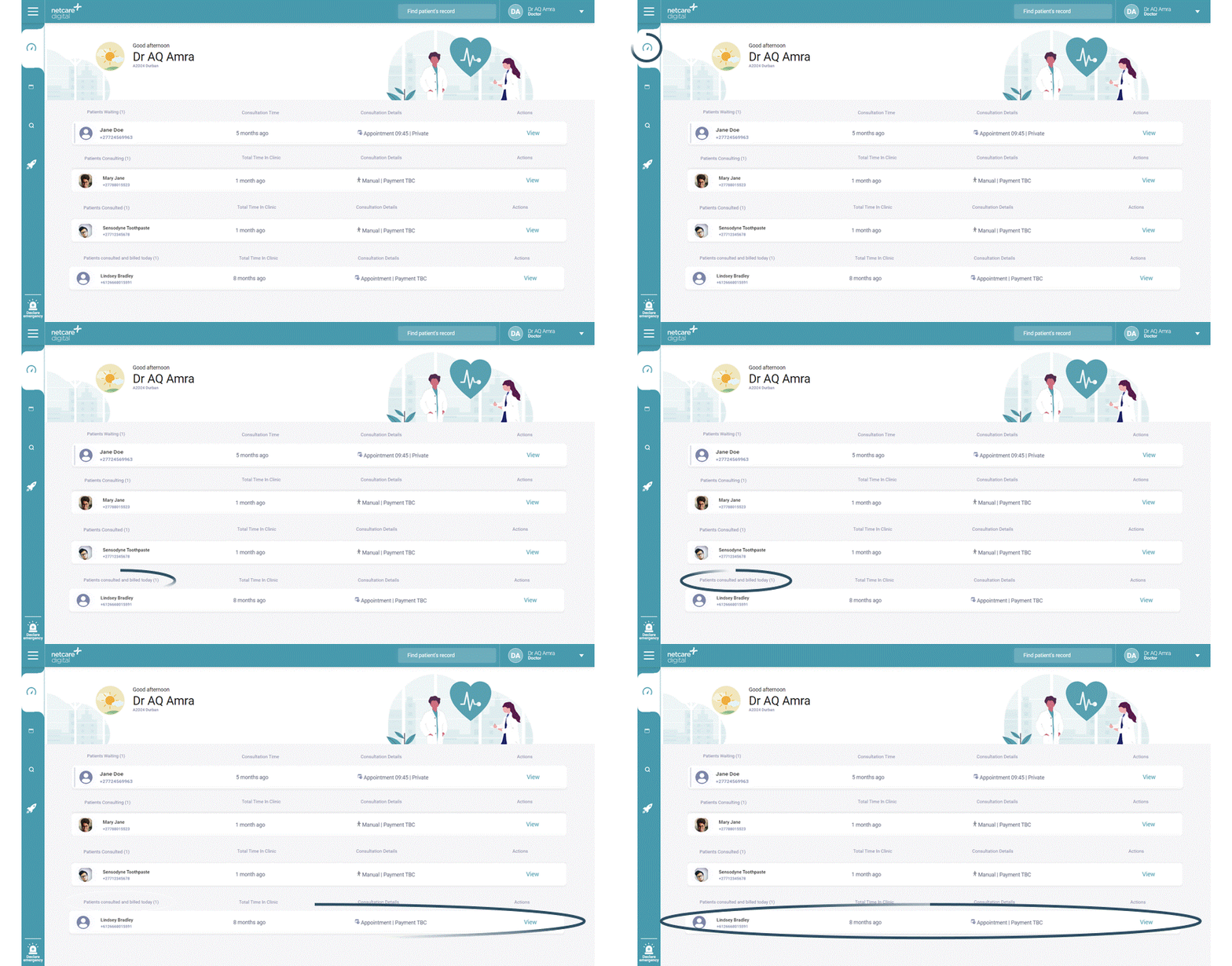
Your dashboard will now include a list of all of the patients you have consulted for the day. This information will be visible for the day, even post billing being completed for that patient. You can find the list of patients in the section labelled “Patients consulted and billed today” on the dashboard.
|
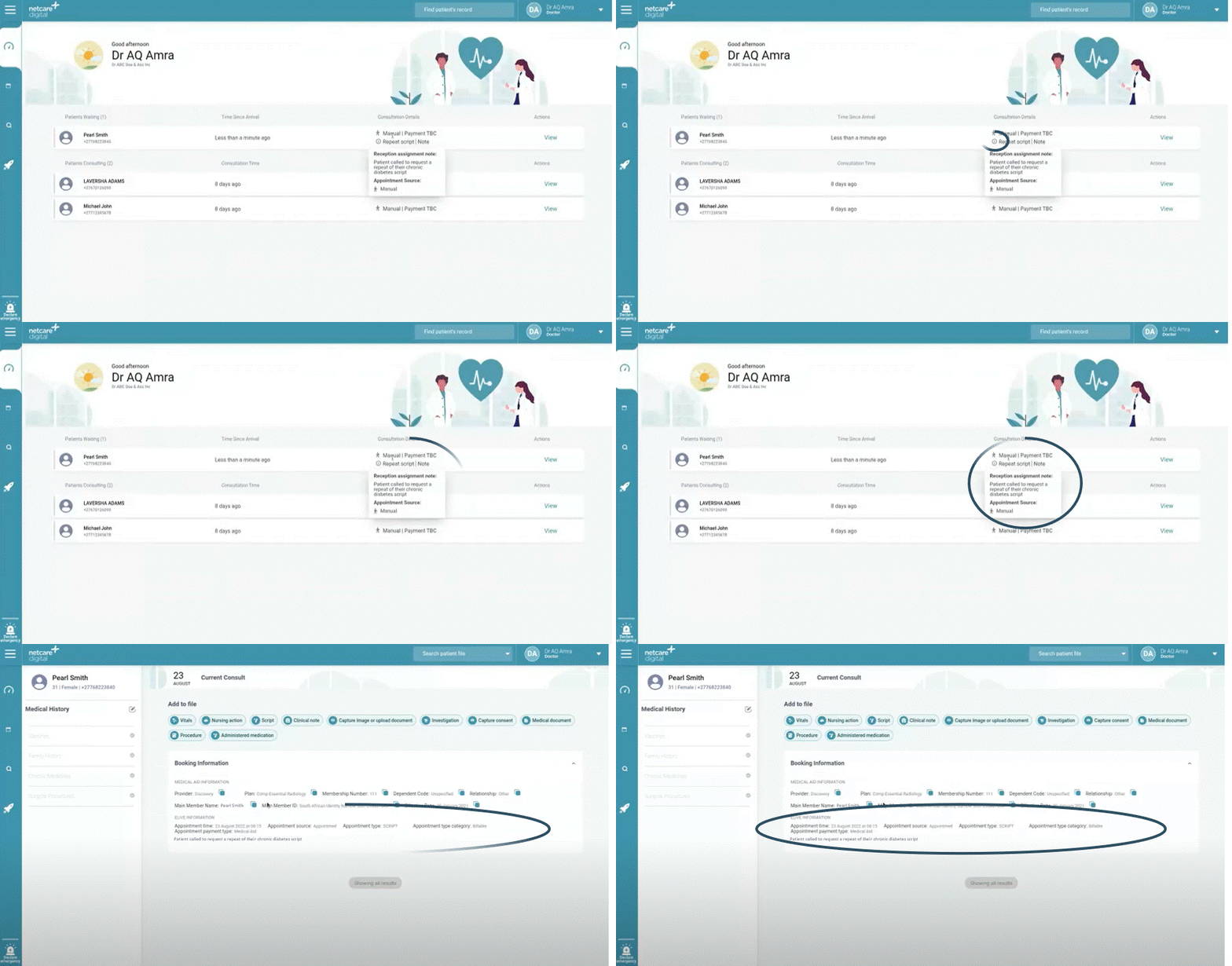
The clinician dashboard has been enhanced to provide more information about your bookings. The system will automatically import the consultation type and notes from E-live, e.g. “Telehealth consult” and reception can add a note for you e.g. ”Patient requires a repeat script”. You can view this information on the dashboard, by hovering on the information button (i), or in the patient file under the booking information section.
|
Please click on the below button to share your feedback on the Heal application in under 30 seconds. Your feedback is greatly appreciated.
|